Affichage des articles dont le libellé est delete. Afficher tous les articles

PYTHON And MySQL - How To Delete Records In MySQL Database Using Python Tkinter

PYTHON - How To Delete Data In MySQL Database In Python Tkinter

Delete Records In MySQL Database Using Python


In this Python Tutorial, we will learn how to delete data from a MySQL database using Python. We will cover the process of removing records from the database to effectively manage and update your data using Python programming language.


Project Source Code:

import tkinter as tk
from tkinter import *
from tkinter import ttk
import mysql.connector

root = Tk()
root.title("Delete Data")

connection = mysql.connector.connect(host='localhost', user='root', password='',
port='3306', database='test_py')
c = connection.cursor()

bkg = "#badc58"


frame = tk.Frame(root, bg=bkg)

label_id = tk.Label(frame, text="ID: ", font=('verdana',12), bg=bkg)
entry_id = tk.Entry(frame, font=('verdana',12))

def deleteData():
user_id = entry_id.get()

delete_query = "DELETE FROM `users_2` WHERE `id` = " + user_id
#vals = (user_id)
c.execute(delete_query)
connection.commit()


button_delete = tk.Button(frame, text="Delete", font=('verdana',14),fg='#ffffff',
bg='red', command = deleteData)

label_id.grid(row=0, column=0)
entry_id.grid(row=0, column=1, pady=10, padx=10)

button_delete.grid(row=1,column=0, columnspan=2, pady=10, padx=10, sticky='nsew')

frame.grid(row=0, column=0)


root.mainloop()


OUTPUT:      
How To Delete Records In MySQL Database Using Python Tkinter


VB.Net And MySQL DataBase - INSERT UPDATE DELETE SEARCH

VB.NET - How To Insert Update Search Delete Data From MySQL Using Visual Basic.Net

vb.net and mysql add edit remove find

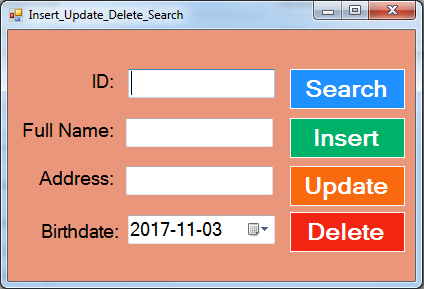
In This VB.Net Tutorial  We Will See How To: 
 - Insert Data Into MySQL Database Table.
 - Update Data From MySQL Database Table With A Specific ID.
 Delete Data From MySQL Database Table With A Specific ID.
 - Search Data In MySQL Database With A Specific ID And Display The Information Into TextBoxes And DateTimePicker ( if data exists )
Using Visual Basic.Net  Programming Language And Visual Studio Editor.


Part 1


Part 2


Project Source Code:

Imports MySql.Data.MySqlClient

Public Class Insert_Update_Delete_Search

    Dim connection As New MySqlConnection("datasource=localhost;port=3306;username=root;password=;database=s_t_d")

    ' button find 
    Private Sub ButtonSearch_Click(sender As Object, e As EventArgs) Handles ButtonSearch.Click

        Dim search_command As New MySqlCommand("SELECT * FROM `student` WHERE `Id` = @id", connection)

        search_command.Parameters.Add("@id", MySqlDbType.Int64).Value = TextBox1.Text

        Dim adapter As New MySqlDataAdapter(search_command)

        Dim table As New DataTable()

        Try

            adapter.Fill(table)

            If table.Rows.Count > 0 Then

                TextBox2.Text = table(0)(1)
                TextBox3.Text = table(0)(2)
                DateTimePicker1.Value = table(0)(3)

            Else

                TextBox2.Text = ""
                TextBox3.Text = ""
                DateTimePicker1.Value = Now()
                MessageBox.Show("No Data Found")

            End If

        Catch ex As Exception

            MessageBox.Show("ERROR")

        End Try

    End Sub

      ' function to execute the insert update delete commands 
    Function execCommand(ByVal cmd As MySqlCommand) As Boolean

        If connection.State = ConnectionState.Closed Then
            connection.Open()
        End If

        Try
            If cmd.ExecuteNonQuery() = 1 Then
                Return True

            Else
                Return False
            End If
        Catch ex As Exception

            MessageBox.Show("ERROR")
            Return False

        End Try

        If connection.State = ConnectionState.Open Then
            connection.Close()
        End If

    End Function

    ' button add 
    Private Sub ButtonInsert_Click(sender As Object, e As EventArgs) Handles ButtonInsert.Click

        Dim insert_command As New MySqlCommand("INSERT INTO `student`(`FullName`, `Address`, `BirthDate`) VALUES (@fln,@adds,@brd)", connection)
        insert_command.Parameters.Add("@fln", MySqlDbType.VarChar).Value = TextBox2.Text
        insert_command.Parameters.Add("@adds", MySqlDbType.VarChar).Value = TextBox3.Text
        insert_command.Parameters.Add("@brd", MySqlDbType.Date).Value = DateTimePicker1.Value

        If execCommand(insert_command) Then
            MessageBox.Show("Data Inserted")

        Else
            MessageBox.Show("Data NOT Inserted")
        End If

    End Sub

    ' button edit 
    Private Sub ButtonUpdate_Click(sender As Object, e As EventArgs) Handles ButtonUpdate.Click

        Dim update_command As New MySqlCommand("UPDATE `student` SET `FullName`=@fln,`Address`=@adds,`BirthDate`=@brd WHERE `Id` = @id", connection)
        update_command.Parameters.Add("@id", MySqlDbType.Int64).Value = TextBox1.Text
        update_command.Parameters.Add("@fln", MySqlDbType.VarChar).Value = TextBox2.Text
        update_command.Parameters.Add("@adds", MySqlDbType.VarChar).Value = TextBox3.Text
        update_command.Parameters.Add("@brd", MySqlDbType.Date).Value = DateTimePicker1.Value

        If execCommand(update_command) Then
            MessageBox.Show("Data Updated")

        Else
            MessageBox.Show("Data NOT Updated")
        End If

    End Sub

    ' button remove 
    Private Sub ButtonDelete_Click(sender As Object, e As EventArgs) Handles ButtonDelete.Click

        Dim delete_command As New MySqlCommand("DELETE FROM `student` WHERE `Id` = @id", connection)
        delete_command.Parameters.Add("@id", MySqlDbType.Int64).Value = TextBox1.Text

        If execCommand(delete_command) Then
            MessageBox.Show("Data Deleted")

        Else
            MessageBox.Show("Data NOT Deleted")
        End If

    End Sub
End Class

///////////////OUTPUT:

Add Edit Find Remove Data From MySQL Database In Visual Basic.Net


VB.Net Delete MySQL Data

How To Remove Data From MySQL Database Using VbNet

VB.Ne Andt MySQL Delete

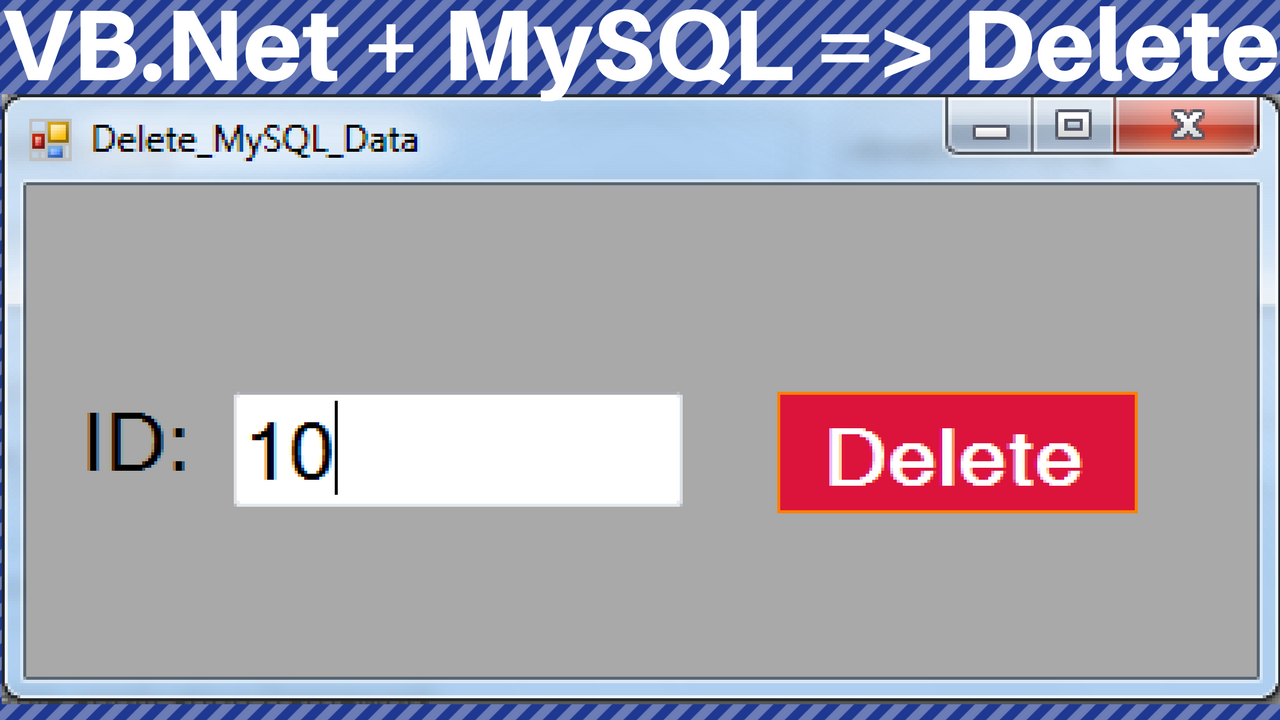
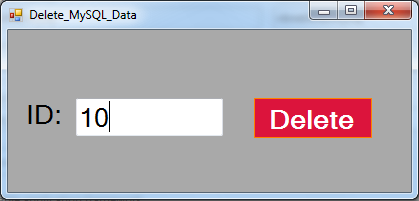
In This VB.Net Tutorial  We Will See How To Delete The Selected Data From MySQL DataBase Table Using TextBox For The ID  To Just Remove The Data With This Specific ID Using MySqlCommand With Parameters In Visual Basic.Net  Programming Language And Visual Studio Editor.


Project Source Code:

Imports MySql.Data.MySqlClient

Public Class Delete_MySQL_Data

    Dim connection As New MySqlConnection("datasource=localhost;port=3306;username=root;password=;database=s_t_d")

    Private Sub ButtonDelete_Click(sender As Object, e As EventArgs) Handles ButtonDelete.Click

        Dim command As New MySqlCommand("DELETE FROM `student` WHERE `Id` = @id", connection)

        command.Parameters.Add("@id", MySqlDbType.Int64).Value = TextBox1.Text

        connection.Open()

        Try

            If command.ExecuteNonQuery() = 1 Then

                MessageBox.Show("Data Deleted")

            Else

                MessageBox.Show("Error")

            End If

        Catch ex As Exception

            MessageBox.Show("Something Wrong")

        End Try


        connection.Close()

    End Sub
End Class
      
///////////////OUTPUT:

delete data from mysql database using vb.net


VB.Net And SQL DataBase - INSERT UPDATE DELETE

VB.NET - How To Insert Update Delete Data From SQL Server Using Visual Basic.Net


In This VB.NET Tutorial We Will See How To Create Buttons To Insert Data Into SqLServer, Update SqLServer Data, Delete Records From SQLServer Using Visual Basic .NET Programming Language And Microsoft SQL DataBase.


Project Source Code:

Imports System.Data.SqlClient

Public Class VBNET_SQL_Insert_Update_Delete

    Dim connection As New SqlConnection("Server= SAMSNG-PC; Database = TestDB; Integrated Security = true")

    Private Sub BTN_INSERT_Click(sender As Object, e As EventArgs) Handles BTN_INSERT.Click

        Dim insertQuery As String = "INSERT INTO Users (Fname,Lname,age) VALUES('" & TextBoxFN.Text & "','" & TextBoxLN.Text & "'," & TextBoxAGE.Text & ")"

        ExecuteQuery(insertQuery)

        MessageBox.Show("Data Inserted")

    End Sub

    Public Sub ExecuteQuery(query As String)

        Dim command As New SqlCommand(query, connection)

        connection.Open()

        command.ExecuteNonQuery()

        connection.Close()

    End Sub

    Private Sub BTN_UPDATE_Click(sender As Object, e As EventArgs) Handles BTN_UPDATE.Click

        Dim updateQuery As String = "Update Users Set Fname = '" & TextBoxFN.Text & "' ,Lname = '" & TextBoxLN.Text & "',age = " & TextBoxAGE.Text & " WHERE Id =" & TextBoxID.Text & ""
        ExecuteQuery(updateQuery)
        MessageBox.Show("Data Updated")

    End Sub

    Private Sub BTN_DELETE_Click(sender As Object, e As EventArgs) Handles BTN_DELETE.Click

        Dim deleteQuery As String = "delete from Users Where Id = " & TextBoxID.Text
        ExecuteQuery(deleteQuery)
        MessageBox.Show("User deleted")

    End Sub
End Class

///////////////OUTPUT:

vb.net and sql insert update delete


C# & MySQL - Insert Update Delete Search Display


In This C# Tutorial We Will See How To Insert Update Delete Search And Display Data From Database Using CSharp Programming Language And MySQL Database.


                                                                          Part 1

Part 2

Source Code :

using MySql.Data.MySqlClient;
using System;
using System.Collections.Generic;
using System.ComponentModel;
using System.Data;
using System.Drawing;
using System.Linq;
using System.Text;
using System.Threading.Tasks;
using System.Windows.Forms;

namespace Csharp_And_MySQL
{
    public partial class Insert_Update_Delete_Search_Display : Form
    {
        public Insert_Update_Delete_Search_Display()
        {
            InitializeComponent();
        }

        MySqlConnection connection = new MySqlConnection("datasource=localhost;port=3306;Initial Catalog='test_db';username=root;password=");
        MySqlCommand command;
        private void Insert_Update_Delete_Search_Display_Load(object sender, EventArgs e)
        {
            populateDGV();
        }

        public void populateDGV()
        {
            // populate the datagridview
            string selectQuery = "SELECT * FROM users";
            DataTable table = new DataTable();
            MySqlDataAdapter adapter = new MySqlDataAdapter(selectQuery, connection);
            adapter.Fill(table);
            dataGridView_USERS.DataSource = table;
        }

        private void dataGridView_USERS_MouseClick(object sender, MouseEventArgs e)
        {
            textBoxID.Text = dataGridView_USERS.CurrentRow.Cells[0].Value.ToString();
            textBoxFName.Text = dataGridView_USERS.CurrentRow.Cells[1].Value.ToString();
            textBoxLName.Text = dataGridView_USERS.CurrentRow.Cells[2].Value.ToString();
            textBoxAge.Text = dataGridView_USERS.CurrentRow.Cells[3].Value.ToString();
        }

        public void openConnection()
        {
            if(connection.State == ConnectionState.Closed)
            {
                connection.Open();
            }
        }

        public void closeConnection()
        {
            if(connection.State == ConnectionState.Open)
            {
                connection.Close();
            }
        }

        public void executeMyQuery(string query)
        {
            try
            {
                openConnection();
                command = new MySqlCommand(query,connection);

                if(command.ExecuteNonQuery() == 1)
                {
                    MessageBox.Show("Query Executed");
                }

                else
                {
                    MessageBox.Show("Query Not Executed");
                }

            }
            catch (Exception ex)
            {
                MessageBox.Show(ex.Message);
            }finally
            {
                closeConnection();
            }
        }

        private void BTN_INSERT_Click(object sender, EventArgs e)
        {
            string insertQuery = "INSERT INTO users(fname, lname, age) VALUES('" + textBoxFName.Text + "','" + textBoxLName.Text + "'," + textBoxAge.Text +")";
            executeMyQuery(insertQuery);
            populateDGV();
        }

        private void BTN_UPDATE_Click(object sender, EventArgs e)
        {
            string updateQuery = "UPDATE users SET fname='"+textBoxFName.Text+"',lname='"+textBoxLName.Text+"',age="+textBoxAge.Text+" WHERE id ="+int.Parse(textBoxID.Text);
            executeMyQuery(updateQuery);
            populateDGV();
        }

        private void BTN_DELETE_Click(object sender, EventArgs e)
        {
            string deleteQuery = "DELETE FROM users WHERE id = "+int.Parse(textBoxID.Text);
            executeMyQuery(deleteQuery);
            populateDGV();
        }

        private void BTN_SEARCH_Click(object sender, EventArgs e)
        {
            MySqlDataReader mdr;
            string select = "SELECT * FROM users WHERE id = " + textBoxID.Text;
            command = new MySqlCommand(select,connection);
            openConnection();
            mdr = command.ExecuteReader();

            if(mdr.Read())
            {
                textBoxFName.Text = mdr.GetString("fname");
                textBoxLName.Text = mdr.GetString("lname");
                textBoxAge.Text = mdr.GetInt32("age").ToString();
            }
            else
            {
                MessageBox.Show("User Not Found");
            }

            closeConnection();
        }
     
    }
}

=> OutPut :


C# And MySQL Insert Update Delete Search Display


Java And MySQL - Insert Update Delete Search Image From Database In Java

Java Code - How To Insert Update Delete Search Images From MySQL Database In Java Using Netbeans  


java insert update delete search imges in mysql

- The Download Link In The End Of This Article

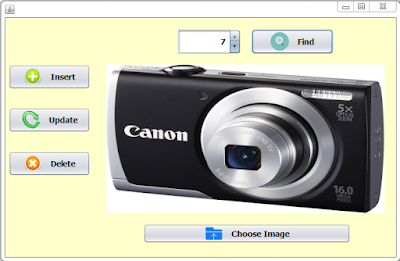
In this java Tutorial we will see How To Add Edit Remove Find And Display Images From MySQL Database In Java Using NetBeans .
I Use In This Tutorial:
- NetBeans IDE .
- XAMPP .
- PhpMyAdmin .
-MySQL Database .

Part 1


Part 2


Part 3

Project Source Code:
    
package MyPackage;

import java.awt.Image;
import java.io.File;
import java.io.FileInputStream;
import java.io.FileNotFoundException;
import java.io.InputStream;
import java.sql.Connection;
import java.sql.DriverManager;
import java.sql.PreparedStatement;
import java.sql.ResultSet;
import java.sql.SQLException;
import java.sql.Statement;
import java.util.logging.Level;
import java.util.logging.Logger;
import javax.swing.ImageIcon;
import javax.swing.JFileChooser;
import javax.swing.JOptionPane;
import javax.swing.filechooser.FileNameExtensionFilter;

/**
 *
 * @author 1BestCsharp.blogspot.com 
 */
public class java_mysql_image_insert_update_delete_search extends javax.swing.JFrame {

    /**
     * Creates new form java_mysql_image_insert_update_delete_search
     */
    public java_mysql_image_insert_update_delete_search() {
        initComponents();
    }

    String imgPath = null;
 
    // Function To Resize The Image To Fit Into JLabel
     public ImageIcon ResizeImage(String ImagePath, byte[] pic)
    {
        ImageIcon MyImage = null;
        if(ImagePath != null)
        {
           MyImage = new ImageIcon(ImagePath);
        }else
        {
            MyImage = new ImageIcon(pic);
        }
        Image img = MyImage.getImage();
        Image newImg = img.getScaledInstance(lbl_Image.getWidth(), lbl_Image.getHeight(), Image.SCALE_SMOOTH);
        ImageIcon image = new ImageIcon(newImg);
        return image;
    }
    
  // Function To Connect To MySQL Database 
   public static Connection getConnection()
   {
       Connection con = null;

       try {
           con = DriverManager.getConnection("jdbc:mysql://localhost/images_db", "root","");
           return con;
       } 
      catch (Exception e) {
           e.printStackTrace();
           JOptionPane.showMessageDialog(null, "Not Connected");
           return null;
       }
   }
   
   
    /**
     * This method is called from within the constructor to initialize the form.
     * WARNING: Do NOT modify this code. The content of this method is always
     * regenerated by the Form Editor.
     */
    @SuppressWarnings("unchecked")
    // <editor-fold defaultstate="collapsed" desc="Generated Code">                        
    private void initComponents() {

        jPanel1 = new javax.swing.JPanel();
        BTN_ADD = new javax.swing.JButton();
        BTN_EDIT = new javax.swing.JButton();
        BTN_REMOVE = new javax.swing.JButton();
        BTN_SEARCH = new javax.swing.JButton();
        lbl_Image = new javax.swing.JLabel();
        BTN_CHOOSE = new javax.swing.JButton();
        JSPINNER_ID = new javax.swing.JSpinner();

        setDefaultCloseOperation(javax.swing.WindowConstants.EXIT_ON_CLOSE);

        jPanel1.setBackground(new java.awt.Color(255, 255, 204));

        BTN_ADD.setFont(new java.awt.Font("Tahoma", 1, 14)); // NOI18N
        BTN_ADD.setIcon(new javax.swing.ImageIcon(getClass().getResource("/JAVA_VIDEOS_TUTORIALS/icons/add.png"))); // NOI18N
        BTN_ADD.setText("Insert");
        BTN_ADD.setIconTextGap(15);
        BTN_ADD.addActionListener(new java.awt.event.ActionListener() {
            public void actionPerformed(java.awt.event.ActionEvent evt) {
                BTN_ADDActionPerformed(evt);
            }
        });

        BTN_EDIT.setFont(new java.awt.Font("Tahoma", 1, 14)); // NOI18N
        BTN_EDIT.setIcon(new javax.swing.ImageIcon(getClass().getResource("/JAVA_VIDEOS_TUTORIALS/icons/Renew.png"))); // NOI18N
        BTN_EDIT.setText("Update");
        BTN_EDIT.setIconTextGap(15);
        BTN_EDIT.addActionListener(new java.awt.event.ActionListener() {
            public void actionPerformed(java.awt.event.ActionEvent evt) {
                BTN_EDITActionPerformed(evt);
            }
        });

        BTN_REMOVE.setFont(new java.awt.Font("Tahoma", 1, 14)); // NOI18N
        BTN_REMOVE.setIcon(new javax.swing.ImageIcon(getClass().getResource("/JAVA_VIDEOS_TUTORIALS/icons/delete.png"))); // NOI18N
        BTN_REMOVE.setText("Delete");
        BTN_REMOVE.setIconTextGap(15);
        BTN_REMOVE.addActionListener(new java.awt.event.ActionListener() {
            public void actionPerformed(java.awt.event.ActionEvent evt) {
                BTN_REMOVEActionPerformed(evt);
            }
        });

        BTN_SEARCH.setFont(new java.awt.Font("Tahoma", 1, 14)); // NOI18N
        BTN_SEARCH.setIcon(new javax.swing.ImageIcon(getClass().getResource("/JAVA_VIDEOS_TUTORIALS/icons/search.png"))); // NOI18N
        BTN_SEARCH.setText("Find");
        BTN_SEARCH.setIconTextGap(15);
        BTN_SEARCH.addActionListener(new java.awt.event.ActionListener() {
            public void actionPerformed(java.awt.event.ActionEvent evt) {
                BTN_SEARCHActionPerformed(evt);
            }
        });

        lbl_Image.setBackground(new java.awt.Color(204, 255, 255));
        lbl_Image.setOpaque(true);

        BTN_CHOOSE.setFont(new java.awt.Font("Tahoma", 1, 14)); // NOI18N
        BTN_CHOOSE.setIcon(new javax.swing.ImageIcon(getClass().getResource("/JAVA_VIDEOS_TUTORIALS/icons/upload.png"))); // NOI18N
        BTN_CHOOSE.setText("Choose Image");
        BTN_CHOOSE.setIconTextGap(15);
        BTN_CHOOSE.addActionListener(new java.awt.event.ActionListener() {
            public void actionPerformed(java.awt.event.ActionEvent evt) {
                BTN_CHOOSEActionPerformed(evt);
            }
        });

        JSPINNER_ID.setFont(new java.awt.Font("Tahoma", 1, 14)); // NOI18N
        JSPINNER_ID.setModel(new javax.swing.SpinnerNumberModel(Integer.valueOf(1), Integer.valueOf(1), null, Integer.valueOf(1)));
        JSPINNER_ID.setToolTipText("");

        javax.swing.GroupLayout jPanel1Layout = new javax.swing.GroupLayout(jPanel1);
        jPanel1.setLayout(jPanel1Layout);
        jPanel1Layout.setHorizontalGroup(
            jPanel1Layout.createParallelGroup(javax.swing.GroupLayout.Alignment.LEADING)
            .addGroup(javax.swing.GroupLayout.Alignment.TRAILING, jPanel1Layout.createSequentialGroup()
                .addContainerGap()
                .addGroup(jPanel1Layout.createParallelGroup(javax.swing.GroupLayout.Alignment.LEADING)
                    .addComponent(BTN_REMOVE, javax.swing.GroupLayout.PREFERRED_SIZE, 142, javax.swing.GroupLayout.PREFERRED_SIZE)
                    .addComponent(BTN_ADD, javax.swing.GroupLayout.PREFERRED_SIZE, 142, javax.swing.GroupLayout.PREFERRED_SIZE)
                    .addComponent(BTN_EDIT, javax.swing.GroupLayout.PREFERRED_SIZE, 142, javax.swing.GroupLayout.PREFERRED_SIZE))
                .addGroup(jPanel1Layout.createParallelGroup(javax.swing.GroupLayout.Alignment.LEADING)
                    .addGroup(jPanel1Layout.createSequentialGroup()
                        .addPreferredGap(javax.swing.LayoutStyle.ComponentPlacement.RELATED, javax.swing.GroupLayout.DEFAULT_SIZE, Short.MAX_VALUE)
                        .addComponent(JSPINNER_ID, javax.swing.GroupLayout.PREFERRED_SIZE, 110, javax.swing.GroupLayout.PREFERRED_SIZE)
                        .addGap(18, 18, 18)
                        .addComponent(BTN_SEARCH, javax.swing.GroupLayout.PREFERRED_SIZE, 142, javax.swing.GroupLayout.PREFERRED_SIZE)
                        .addGap(109, 109, 109))
                    .addGroup(jPanel1Layout.createSequentialGroup()
                        .addGap(27, 27, 27)
                        .addComponent(lbl_Image, javax.swing.GroupLayout.PREFERRED_SIZE, 484, javax.swing.GroupLayout.PREFERRED_SIZE)
                        .addContainerGap(20, Short.MAX_VALUE))))
            .addGroup(javax.swing.GroupLayout.Alignment.TRAILING, jPanel1Layout.createSequentialGroup()
                .addContainerGap(javax.swing.GroupLayout.DEFAULT_SIZE, Short.MAX_VALUE)
                .addComponent(BTN_CHOOSE, javax.swing.GroupLayout.PREFERRED_SIZE, 360, javax.swing.GroupLayout.PREFERRED_SIZE)
                .addGap(79, 79, 79))
        );
        jPanel1Layout.setVerticalGroup(
            jPanel1Layout.createParallelGroup(javax.swing.GroupLayout.Alignment.LEADING)
            .addGroup(jPanel1Layout.createSequentialGroup()
                .addGap(20, 20, 20)
                .addGroup(jPanel1Layout.createParallelGroup(javax.swing.GroupLayout.Alignment.BASELINE)
                    .addComponent(JSPINNER_ID, javax.swing.GroupLayout.PREFERRED_SIZE, 43, javax.swing.GroupLayout.PREFERRED_SIZE)
                    .addComponent(BTN_SEARCH, javax.swing.GroupLayout.PREFERRED_SIZE, 43, javax.swing.GroupLayout.PREFERRED_SIZE))
                .addGap(18, 18, 18)
                .addGroup(jPanel1Layout.createParallelGroup(javax.swing.GroupLayout.Alignment.LEADING)
                    .addGroup(jPanel1Layout.createSequentialGroup()
                        .addComponent(BTN_ADD, javax.swing.GroupLayout.PREFERRED_SIZE, 43, javax.swing.GroupLayout.PREFERRED_SIZE)
                        .addGap(32, 32, 32)
                        .addComponent(BTN_EDIT, javax.swing.GroupLayout.PREFERRED_SIZE, 43, javax.swing.GroupLayout.PREFERRED_SIZE)
                        .addGap(33, 33, 33)
                        .addComponent(BTN_REMOVE, javax.swing.GroupLayout.PREFERRED_SIZE, 43, javax.swing.GroupLayout.PREFERRED_SIZE))
                    .addComponent(lbl_Image, javax.swing.GroupLayout.PREFERRED_SIZE, 259, javax.swing.GroupLayout.PREFERRED_SIZE))
                .addGap(18, 18, 18)
                .addComponent(BTN_CHOOSE, javax.swing.GroupLayout.PREFERRED_SIZE, 34, javax.swing.GroupLayout.PREFERRED_SIZE)
                .addContainerGap(24, Short.MAX_VALUE))
        );

        javax.swing.GroupLayout layout = new javax.swing.GroupLayout(getContentPane());
        getContentPane().setLayout(layout);
        layout.setHorizontalGroup(
            layout.createParallelGroup(javax.swing.GroupLayout.Alignment.LEADING)
            .addComponent(jPanel1, javax.swing.GroupLayout.DEFAULT_SIZE, javax.swing.GroupLayout.DEFAULT_SIZE, Short.MAX_VALUE)
        );
        layout.setVerticalGroup(
            layout.createParallelGroup(javax.swing.GroupLayout.Alignment.LEADING)
            .addComponent(jPanel1, javax.swing.GroupLayout.DEFAULT_SIZE, javax.swing.GroupLayout.DEFAULT_SIZE, Short.MAX_VALUE)
        );

        pack();
    }// </editor-fold>                      

    // Button Insert Image Into MySQL Database
    // 1 - Check If The imgPath Is Not Null ( Select Image To Insert )
    // 2 - Insert The Image
    private void BTN_ADDActionPerformed(java.awt.event.ActionEvent evt) {                                    
        if(imgPath != null)
        {
            try {
                PreparedStatement ps = getConnection().prepareStatement("INSERT INTO tbl_images(The_image) VALUES(?)");
                InputStream img = new FileInputStream(new File(imgPath));
                ps.setBlob(1, img);
                if(ps.executeUpdate() == 1)
                {
                    JOptionPane.showMessageDialog(null, "Image Inserted");
                }
            } catch (Exception ex) {
                Logger.getLogger(java_mysql_image_insert_update_delete_search.class.getName()).log(Level.SEVERE, null, ex);
            }
        }else{
            JOptionPane.showMessageDialog(null, "No Image Selected");
        }
        
        imgPath = null;
    }                                       

    // Button Update Image From MySQL Database
    // 1 - Check If imgPath Is Not Null (New Image Selected)
    // 2 - Update The Image
    private void BTN_EDITActionPerformed(java.awt.event.ActionEvent evt) {                                         
     
        if(imgPath != null)
        {
            try {
               InputStream  img = new FileInputStream(imgPath);
            String UpdateQuery = "UPDATE tbl_images SET The_image = ? WHERE id = ?";
            int id = Integer.parseInt(JSPINNER_ID.getValue().toString());
            PreparedStatement ps = getConnection().prepareStatement(UpdateQuery);
            ps.setBlob(1, img);
            ps.setInt(2, id);
            if(ps.executeUpdate() == 1)
            {
                JOptionPane.showMessageDialog(null, "Image Updated");
            }else{
                JOptionPane.showMessageDialog(null, "No Image Exist With This Id");
            }
            
            } catch (Exception ex) {
                Logger.getLogger(java_mysql_image_insert_update_delete_search.class.getName()).log(Level.SEVERE, null, ex);
            }            
        }else{
            JOptionPane.showMessageDialog(null, "No Image Selected");
        }
        
        imgPath = null;
    }                                        

    // Button Delete The Image From MySQL Database
    private void BTN_REMOVEActionPerformed(java.awt.event.ActionEvent evt) {                                           

        int id = Integer.parseInt(JSPINNER_ID.getValue().toString());
        String DeleteQuery = "DELETE FROM tbl_images WHERE id = ?";
        
        try {
            PreparedStatement ps = getConnection().prepareStatement(DeleteQuery);
            ps.setInt(1, id);
            if(ps.executeUpdate() == 1)
            {
                JOptionPane.showMessageDialog(null, "Image Deleted");
            }
            else{
                JOptionPane.showMessageDialog(null, "No Image Exist With This Id");
            }
        } catch (SQLException ex) {
            Logger.getLogger(java_mysql_image_insert_update_delete_search.class.getName()).log(Level.SEVERE, null, ex);
        }
        
        lbl_Image.setIcon(null);
        
    }                                          

    // Button Search And Display Image In JLabel
    // 1 - Get The Id From The JSpinner
    // 2 - Search The Image In MySQL Database
    // 3 - If The Image Exist Display The Image In The JLable
    //     Using The ResizeImage Function To Resize Th Image
    private void BTN_SEARCHActionPerformed(java.awt.event.ActionEvent evt) {                                           

        int id = Integer.parseInt(JSPINNER_ID.getValue().toString());
        String SelectQuery = "SELECT * FROM tbl_images WHERE id = "+id;
        
        Statement st;
        ResultSet rs;
        
        try {
            st = getConnection().createStatement();
            rs = st.executeQuery(SelectQuery);
        
        if(rs.next())
        {
            lbl_Image.setIcon(ResizeImage(null, rs.getBytes("The_image")));
        }else{
            
             JOptionPane.showMessageDialog(null, "ImageNot Found");  
        }
        } catch (SQLException ex) {
            Logger.getLogger(java_mysql_image_insert_update_delete_search.class.getName()).log(Level.SEVERE, null, ex);
        }


    }                                          

    // Button Browse Image From Your Computer
    // 1 - Browse Image From Computer And Display It In JLabel 
    //     Using ResizeImage Function
    // 2 - Set The Image Path Into imgPath
    //     To Check Later If An Image Was Selected
    private void BTN_CHOOSEActionPerformed(java.awt.event.ActionEvent evt) {                                           

        // browse image
        
        JFileChooser file = new JFileChooser();
        file.setCurrentDirectory(new File(System.getProperty("user.home")));
        //filter the files
        FileNameExtensionFilter filter = new FileNameExtensionFilter("*.Images", "jpg","gif","png");
        file.addChoosableFileFilter(filter);
        int result = file.showSaveDialog(null);
        //if the user click on save in Jfilechooser
        if(result == JFileChooser.APPROVE_OPTION){
            
            File selectedFile = file.getSelectedFile();
            String path = selectedFile.getAbsolutePath();
            lbl_Image.setIcon(ResizeImage(path,null));
            
            imgPath = path;
        }
        //if the user click on save in Jfilechooser

        else if(result == JFileChooser.CANCEL_OPTION){
            System.out.println("No File Select");
        }

    }                                          

    /**
     * @param args the command line arguments
     */
    public static void main(String args[]) {
        /* Set the Nimbus look and feel */
        //<editor-fold defaultstate="collapsed" desc=" Look and feel setting code (optional) ">
        /* If Nimbus (introduced in Java SE 6) is not available, stay with the default look and feel.
         * For details see http://download.oracle.com/javase/tutorial/uiswing/lookandfeel/plaf.html
         */
        try {
            for (javax.swing.UIManager.LookAndFeelInfo info : javax.swing.UIManager.getInstalledLookAndFeels()) {
                if ("Nimbus".equals(info.getName())) {
                    javax.swing.UIManager.setLookAndFeel(info.getClassName());
                    break;
                }
            }
        } catch (ClassNotFoundException ex) {
            java.util.logging.Logger.getLogger(java_mysql_image_insert_update_delete_search.class.getName()).log(java.util.logging.Level.SEVERE, null, ex);
        } catch (InstantiationException ex) {
            java.util.logging.Logger.getLogger(java_mysql_image_insert_update_delete_search.class.getName()).log(java.util.logging.Level.SEVERE, null, ex);
        } catch (IllegalAccessException ex) {
            java.util.logging.Logger.getLogger(java_mysql_image_insert_update_delete_search.class.getName()).log(java.util.logging.Level.SEVERE, null, ex);
        } catch (javax.swing.UnsupportedLookAndFeelException ex) {
            java.util.logging.Logger.getLogger(java_mysql_image_insert_update_delete_search.class.getName()).log(java.util.logging.Level.SEVERE, null, ex);
        }
        //</editor-fold>

        /* Create and display the form */
        java.awt.EventQueue.invokeLater(new Runnable() {
            public void run() {
                new java_mysql_image_insert_update_delete_search().setVisible(true);
            }
        });
    }

    // Variables declaration - do not modify                  
    private javax.swing.JButton BTN_ADD;
    private javax.swing.JButton BTN_CHOOSE;
    private javax.swing.JButton BTN_EDIT;
    private javax.swing.JButton BTN_REMOVE;
    private javax.swing.JButton BTN_SEARCH;
    private javax.swing.JSpinner JSPINNER_ID;
    private javax.swing.JPanel jPanel1;
    private javax.swing.JLabel lbl_Image;
    // End of variables declaration                
}

///////////////OUTPUT:
mysql insert update delete display image
java and mysql insert update delete display image