How To Design Menu In Java NetBeans

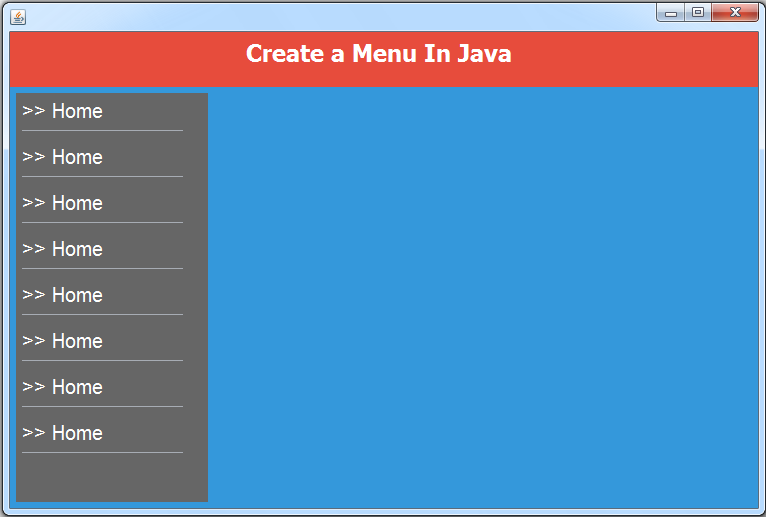
In this Java Tutorial we will see How To Design A Menu Form Using JPanel and JLabels In Java NetBeans .
colors code from: https://flatuicolors.com
colors code from: https://flatuicolors.com
WATCH THIS JAVA TUTORIAL
Project Source Code:
// when the mouse ENTER the jlabel zone the background color will change
private void jLabel2MouseEntered(java.awt.event.MouseEvent evt) {
jLabel2.setBackground(Color.LIGHT_GRAY);
jLabel2.setOpaque(true);
}
private void jLabel3MouseEntered(java.awt.event.MouseEvent evt) {
jLabel3.setBackground(Color.LIGHT_GRAY);
jLabel3.setOpaque(true);
}
private void jLabel3MouseEntered(java.awt.event.MouseEvent evt) {
jLabel3.setBackground(Color.LIGHT_GRAY);
jLabel3.setOpaque(true);
}
// when the mouse EXIT the jlabel zone the background color will change
private void jLabel2MouseExited(java.awt.event.MouseEvent evt) {
jLabel2.setBackground(new Color(102, 102, 102));
}
private void jLabel3MouseExited(java.awt.event.MouseEvent evt) {
jLabel3.setBackground(new Color(102, 102, 102));
}
private void jLabel3MouseExited(java.awt.event.MouseEvent evt) {
jLabel3.setBackground(new Color(102, 102, 102));
}
NOTE: you can create a function and use a for loop to set the mouse enter and exit to all jlabel.
OutPut:
Download Projects Source Code