Affichage des articles dont le libellé est ActionListener. Afficher tous les articles

Java Add Action To All JButtons

How To Add Action To All Buttons In A JPanel Using Java

add action to all buttons in java


In this Java Tutorial we will see How To Create A Function To Set An ActionListener To All The JButtons Inside A JFrame Using JPanel In Java Programming Language NetBeans IDE .


Project Source Code:

public void addAction()
    {
        Component[] components = jPanel1.getComponents();
        for(Component component : components)
        {
            if(component instanceof JButton)
            {
                JButton button = (JButton) component;
                button.addActionListener(new ActionListener() {
                    @Override
                    public void actionPerformed(ActionEvent e) {
                        System.out.println(button.getText());
                    }
                });
            }
        }
        
    }                                         


////// OUTPUT : 
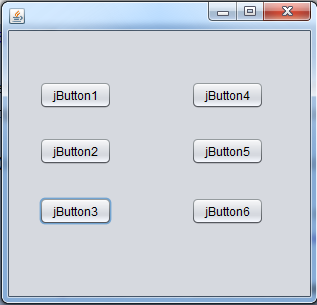
add ActionListener to all jbuttons in java


JAVA - How To Extends From JFrame And Implements ActionListener In Java

How To Extends From JFrame And Implements ActionListener In Java

____________________________________________________________

Source Code:
package JavaDB_001;
import java.awt.Color;
import java.awt.event.ActionEvent;
import java.awt.event.ActionListener;
import javax.swing.*;

//Extends From JFrame
//implements ActionListener
public class Project extends JFrame implements ActionListener{
JTextField num1 = new JTextField(20);
JTextField num2 = new JTextField(20);
JTextField sum = new JTextField(20);
JButton btn = new JButton("Calcul");

public Project(){
    
    num1.setBounds(20, 10, 100, 20);
    num2.setBounds(20, 40, 100, 20);
    btn.setBounds(140, 20, 100, 20);
    sum.setBounds(250, 20, 100, 20);
//Add the ActionListener to the Button
    btn.addActionListener(this);
    setLayout(null);
    add(num1);
    add(num2);
    add(btn);
    add(sum);
    setSize(400, 120);
    setLocationRelativeTo(null);
    setDefaultCloseOperation(JFrame.EXIT_ON_CLOSE);
    getContentPane().setBackground(Color.decode("#bdb76b"));
    setVisible(true);
}
public static void main(String[] args){
   
new Project();
}

    @Override
    public void actionPerformed(ActionEvent e) {
        int a = Integer.parseInt(num1.getText());
        int b = Integer.parseInt(num2.getText());
        int c = a + b;
       sum.setText(Integer.toString(c));
    }
}
///////////////////////////////////////////////////////////////////////OUTPUT:
How To Extends From JFrame And Implements ActionListener In Java
OUTPUT FORM

 
How To Extends From JFrame And Implements ActionListener In Java
When we click in the button we will see the sum of the two textboxes in another textbox