How To Delete HTML Table Selected Row Using JavaScript
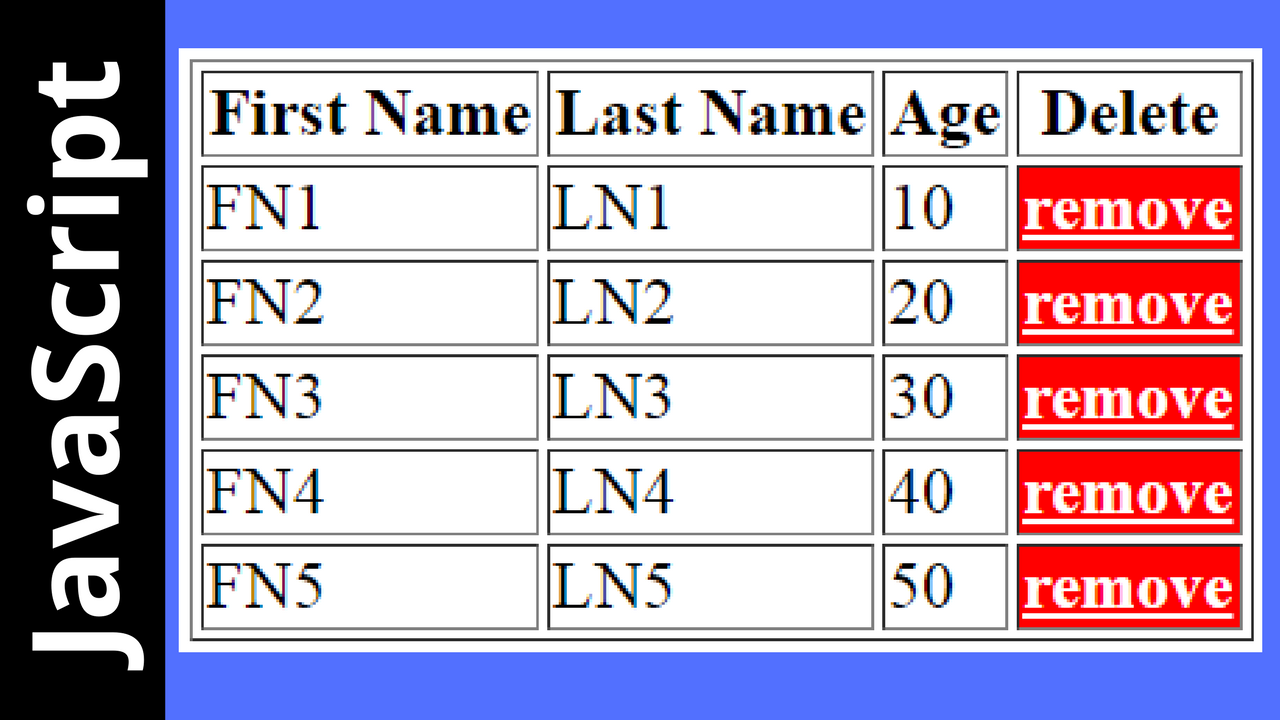
In This Javascript Tutorial we will See How To Remove HTML Table On Button Click
In JS And Netbeans Editor .
Project Source Code:
<!DOCTYPE html>
<html>
<head>
<title>Remove HTML Table Selected Row</title>
<meta charset="windows-1252">
<meta name="viewport" content="width=device-width, initial-scale=1.0">
<style>
td:last-child{background-color: #F00;color:#FFF;cursor: pointer;
font-weight: bold;text-decoration: underline}
</style>
</head>
<body>
<table id="table" border="1">
<tr>
<th>First Name</th>
<th>Last Name</th>
<th>Age</th>
<th>Delete</th>
</tr>
<tr>
<td>FN1</td>
<td>LN1</td>
<td>10</td>
<td>remove</td>
</tr>
<tr>
<td>FN2</td>
<td>LN2</td>
<td>20</td>
<td>remove</td>
</tr>
<tr>
<td>FN3</td>
<td>LN3</td>
<td>30</td>
<td>remove</td>
</tr>
<tr>
<td>FN4</td>
<td>LN4</td>
<td>40</td>
<td>remove</td>
</tr>
<tr>
<td>FN5</td>
<td>LN5</td>
<td>50</td>
<td>remove</td>
</tr>
</table>
<script>
var index, table = document.getElementById('table');
for(var i = 1; i < table.rows.length; i++)
{
table.rows[i].cells[3].onclick = function()
{
var c = confirm("do you want to delete this row");
if(c === true)
{
index = this.parentElement.rowIndex;
table.deleteRow(index);
}
//console.log(index);
};
}
</script>
</body>
</html>
<html>
<head>
<title>Remove HTML Table Selected Row</title>
<meta charset="windows-1252">
<meta name="viewport" content="width=device-width, initial-scale=1.0">
<style>
td:last-child{background-color: #F00;color:#FFF;cursor: pointer;
font-weight: bold;text-decoration: underline}
</style>
</head>
<body>
<table id="table" border="1">
<tr>
<th>First Name</th>
<th>Last Name</th>
<th>Age</th>
<th>Delete</th>
</tr>
<tr>
<td>FN1</td>
<td>LN1</td>
<td>10</td>
<td>remove</td>
</tr>
<tr>
<td>FN2</td>
<td>LN2</td>
<td>20</td>
<td>remove</td>
</tr>
<tr>
<td>FN3</td>
<td>LN3</td>
<td>30</td>
<td>remove</td>
</tr>
<tr>
<td>FN4</td>
<td>LN4</td>
<td>40</td>
<td>remove</td>
</tr>
<tr>
<td>FN5</td>
<td>LN5</td>
<td>50</td>
<td>remove</td>
</tr>
</table>
<script>
var index, table = document.getElementById('table');
for(var i = 1; i < table.rows.length; i++)
{
table.rows[i].cells[3].onclick = function()
{
var c = confirm("do you want to delete this row");
if(c === true)
{
index = this.parentElement.rowIndex;
table.deleteRow(index);
}
//console.log(index);
};
}
</script>
</body>
</html>
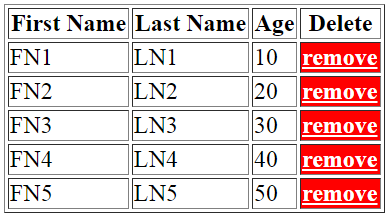
OUTPUT:
Great post, thanks for sharing! Similar tor removing table elements, I wanted to share how to remove elements from an array using filter:
RépondreSupprimerJavaScript has a built in method to make removing array elements by their value quite easy. The Array.prototype.filter() method allows you to specify a condition in which the items that satisfy it will be removed. Check the example out below:
var animals = ['dog', 'cat', 'bird', 'spaghetti'];
// Remove the value 'spaghetti' from our animal array
var filtered = array.filter(function(value, index, arr){
return value != 'spaghetti';
});
console.log(animals);
// Result: ['dog', 'cat', 'bird']
Tres bien , merci mon ami
RépondreSupprimerJ'ai besoin quelque programmeue en tant qu'ami mon email est benechenelson@gmail.com
RépondreSupprimerThank you so much for this useful information. looking more from your side to update us on more updates and advancements
RépondreSupprimerHey What do you mean by (this) in this.parentElement.rowIndex thanks
RépondreSupprimerthe current element
RépondreSupprimer